


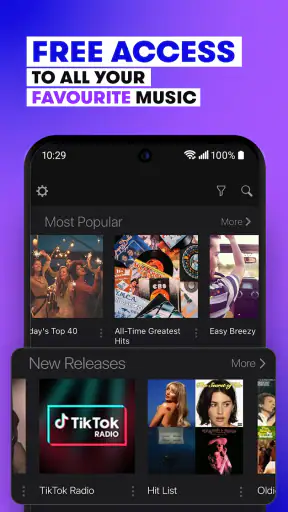

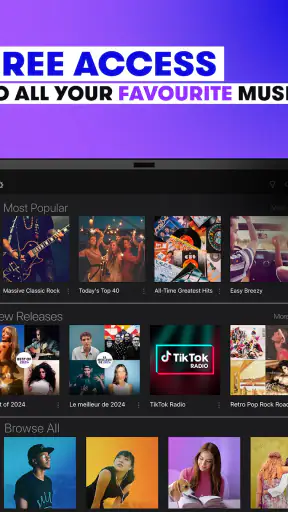


I spent time with Stingray Music as a straightforward way to keep music playing without building every listening session from scratch. It belongs to the Music & Audio category, comes from Stingray Group, and is free to install, although in-app purchases range from $2.99 to $69.99 per item. My overall impression is that it is designed less like a personal music library and more like a collection of professionally arranged radio-style channels for different moods and moments.
That distinction matters. If I want to choose one exact album, create a carefully ordered playlist, or manage downloaded tracks for a flight, this would not be my first choice. When I want to press play while cooking, driving, working, or getting ready in the morning, its channel-based approach feels much easier. The app has a Teen content rating, supports Android 5.0 and newer, and the current version is 9.7.4, so it is aimed at a broad range of devices rather than only recent phones.
How Stingray Music feels in everyday use
A quick start for people who dislike playlist maintenance
The strongest part of the experience is the low-effort decision making. Instead of asking me to search for individual songs and then keep refining an algorithmic queue, Stingray Music encourages me to choose a channel that matches what I am doing. That makes it particularly useful in small gaps during the day: ten minutes of background music while answering messages, a longer session during housework, or something familiar playing behind a casual meal.
I found this approach calmer than constantly selecting tracks. With a conventional on-demand music service, I often spend as much time deciding what to hear as actually listening. Here, the channel is the decision. That is also the app’s main trade-off: I give up precise control in exchange for a more radio-like flow.
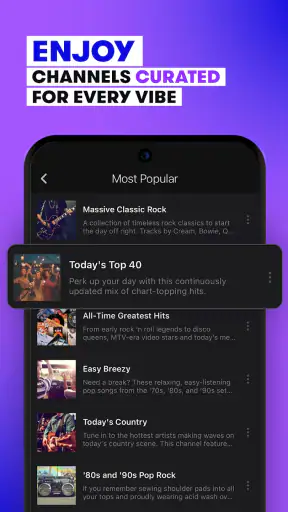
The service is presented as a place for channels curated for different parts of life, and that positioning comes through in use. It is not trying to replace every music tool on a phone. It works best when I want a dependable stream with a sense of direction, but I am happy to let the next song be a surprise.
Perceived speed and the first few minutes
For a music app, perceived speed is less about flashy animation and more about how quickly I can get from opening the app to hearing something suitable. Stingray Music benefits from its focused purpose. There are fewer decisions than in a large catalog, and the channel model gives the opening session a clear path.
My practical advice is to decide on a couple of favorite channels during the first few uses rather than browsing endlessly. That turns later sessions into a much faster routine. I would open the app, pick the channel that fits the moment, and get on with whatever I was doing. This is a small workflow improvement, but it makes a meaningful difference for people who use music as background rather than as the main activity.
The experience may feel less immediate for someone who expects a huge searchable library. A catalog-heavy app can be better when I already know the artist or song I want. Stingray Music feels quicker when my question is simply, “What should I listen to right now?”
What happens during longer listening sessions
The app makes the most sense during sustained, hands-off listening. I can leave a channel running while cleaning a room, preparing food, studying, or doing routine office work. In those situations, the absence of constant track selection is an advantage. I am not repeatedly interrupting my task to maintain the queue.
Heavy use also exposes the difference between radio-style listening and personal music ownership. If a particular song is important to me, I may need another service to find it directly or replay it on demand. Stingray Music is more comfortable as an ongoing stream than as a tool for collecting favorites with exact playback control.
One useful habit is to treat channels as activity presets. I might use one kind of sound for focused work, another for a relaxed evening, and something more energetic for exercise or chores. This avoids the common mistake of judging the whole app by one channel selected at random. The quality of the experience depends heavily on choosing a channel that suits the moment.
Stability and recovery when listening is interrupted
Music apps are judged by what happens after an interruption, not only by how they behave in ideal conditions. Calls, navigation, battery-saving behavior, weak connections, and switching between apps can all affect a listening session. Stingray Music’s simple purpose helps here because recovery is usually a matter of returning to the listening screen and resuming the selected channel, rather than reconstructing a complicated playlist.
I would still avoid assuming that any streaming app is immune to network changes. A moving car, a crowded public connection, or a room with poor reception can create interruptions. The sensible approach is to start a channel before beginning an activity where touching the phone is inconvenient, then keep the app available in the background if the device allows it.
That leads to a realistic limitation: this is not the ideal companion for a trip where I cannot rely on connectivity and need guaranteed offline playback. For that situation, a service with clearly managed downloads or locally stored music is a safer choice. Stingray Music is better suited to connected everyday listening.
Resource demands and battery expectations
Streaming audio is generally lighter than streaming video, and Stingray Music does not present itself as a visually demanding entertainment app. That makes it a reasonable fit for background listening on an older supported phone. Still, a long audio session can use battery and mobile data, especially when the phone is away from Wi-Fi.
I would use Wi-Fi for extended listening at home and keep an eye on mobile-data habits during commutes. If the phone is already handling navigation, a hotspot, a camera, or several demanding apps, the practical strain comes from the whole workload rather than from this music app alone. Closing unnecessary apps and avoiding high-demand multitasking is more useful than expecting a music player to consume nothing.
Older hardware is another consideration. The minimum operating-system requirement is Android 5.0, which is helpful for compatibility, but an old phone can still have limited memory, a tired battery, or a slow connection. The app may be supported while the overall listening experience remains less comfortable than it would be on a newer device. I would judge it by the phone’s general condition as much as by the app itself.
Who gets the most value from the channel format
I would recommend Stingray Music to someone who wants music ready for ordinary moments and does not want to curate every minute. It is especially appealing to listeners who enjoy the feeling of radio programming but want an app they can carry from room to room. It also suits households where different people want a quick choice without managing one shared library.
It can be a good fit for a new smartphone owner who wants a simple audio option, provided the device meets the Android requirement. The free entry point makes it easy to try without committing immediately. The app has reached more than a million installs, and its average rating is 4.6 from roughly 54 thousand ratings, which suggests that the simple listening concept works for a substantial audience.
Those figures should not be mistaken for a promise that every listener will prefer it. People who care about exact albums, lossless listening, extensive offline libraries, or detailed playlist control may feel restricted. I would also point families toward the Teen content rating when deciding whether it fits a younger listener; it is not positioned as a child-specific music environment.
Where it differs from the usual alternatives
The closest comparison is a traditional radio app, but Stingray Music feels more intentional when I want to choose a mood or activity rather than hunt for a local broadcast. Compared with a large on-demand music service, it removes much of the search-and-manage work while also removing some control. Compared with a podcast app, it is better for continuous musical atmosphere and worse for following a specific spoken series.
That middle position is important. It is not merely a replacement for a personal collection, and it is not necessarily the best tool for discovering one exact artist. Its value comes from curated flow. I can start with a broad intention and let the channel handle the sequence. For many people, that is a welcome break from recommendation feeds that require constant judgment.
There is also a social difference. A personal playlist often reflects one person’s taste very precisely. A curated channel is easier to share with a room full of people because it does not depend on one carefully constructed queue. The compromise is that a channel may occasionally move in a direction I would not have chosen myself. I see that unpredictability as part of the format, not automatically as a flaw.
Small habits that make the app more useful
My first tip is to separate “music for attention” from “music for atmosphere.” When I need to concentrate, I would choose a channel that does not tempt me to stop and inspect every song. When I am actively exploring music, I would use an on-demand alternative instead. This simple division prevents disappointment and lets Stingray Music do what it handles best.
My second tip is to test the app in the places where I actually listen. A channel that works during a morning routine may not suit an evening gathering, and a connection that is fine at home may be less dependable on the move. Trying it during a normal commute or work session gives a more honest impression than a short launch-and-browse test.
My third tip is to keep the purchase model in mind. The app is free, but optional in-app items can cost from $2.99 to $69.99 each. I would explore the free experience first and only spend money after deciding that the additional value matches my listening habits. The broad price range makes it especially important to read what an individual purchase provides before confirming it.
A fourth useful habit is to avoid treating every interruption as an app failure. If audio stops after a call or connection change, I would first check the phone’s network and background restrictions, then return to the selected channel. On older devices, battery-saving settings can be just as relevant as the app itself. This is not a guarantee of perfect recovery, but it is a sensible troubleshooting order.
Device fit, support, and practical limitations
The Android 5.0 minimum makes Stingray Music accessible to devices that are well beyond the newest generation. That is useful for people keeping an older phone as a kitchen, bedroom, or car device. At the same time, operating-system support is only one part of the equation. A phone with limited storage, an aging battery, or unreliable mobile data may still be a poor music companion.
I would be cautious about using it as the only audio option on a long journey. For everyday connected listening, it is convenient. For remote locations, flights, or situations where a sudden interruption would be a serious problem, I would prepare locally stored audio through another solution. The app’s channel design is excellent for spontaneity, but spontaneity depends on having a working connection at the moment I need it.
Stingray Group has kept the product in the music-and-audio lane rather than turning it into an overloaded media hub. I appreciate that focus. The downside is that listeners looking for extensive account management, a large personal library, or advanced control may find the experience intentionally narrower than competing services.
My performance verdict after regular use
My verdict is favorable, with a clear condition: Stingray Music is strongest when I want curated music quickly and am willing to surrender exact control. It feels most efficient as a background companion, where the important qualities are a fast decision, a continuous channel, and minimal interaction after playback begins.
It is less convincing as a complete replacement for every music need. The channel format cannot satisfy someone who wants to replay a particular track at will, and connected streaming is not the safest plan for offline travel. Those are meaningful limitations, not minor details. I would keep another option available if music access must continue without a network or if my listening is built around specific albums.
For a friend who says, “I want music on, but I do not want to spend fifteen minutes making a playlist,” I would recommend trying it. Start with the free experience, test a few channels during real daily activities, and pay attention to how the phone behaves during longer sessions. If the curated flow matches your habits, the app earns its place through convenience rather than complexity.
After its long presence on mobile, with a release history reaching back to 2011 and a current version of 9.7.4, it comes across as an established option rather than an experimental player. I would not choose it for deep music ownership or offline preparation, but I would choose it for mornings, chores, casual gatherings, and work that benefits from sound without demanding attention. Its best feature is the reduction of small listening decisions, and that is exactly why it may become useful in everyday life.


